What’s New with Yambo POS Roundup: August 2025
We’re ending summer on a high, with 3 brand-new feature releases: reservation deposits, end-of-day report in the order taking app, and price adjustment in bulk by a fixed amount in the menu editor. Let’s dig in!
New Feature: Table Reservation Deposits
Exciting news: You can now fill empty tables, reduce no-shows & protect your revenue by charging deposits for table reservations.
To use this feature, you need to enable Table Reservations and publish the reservation widget.
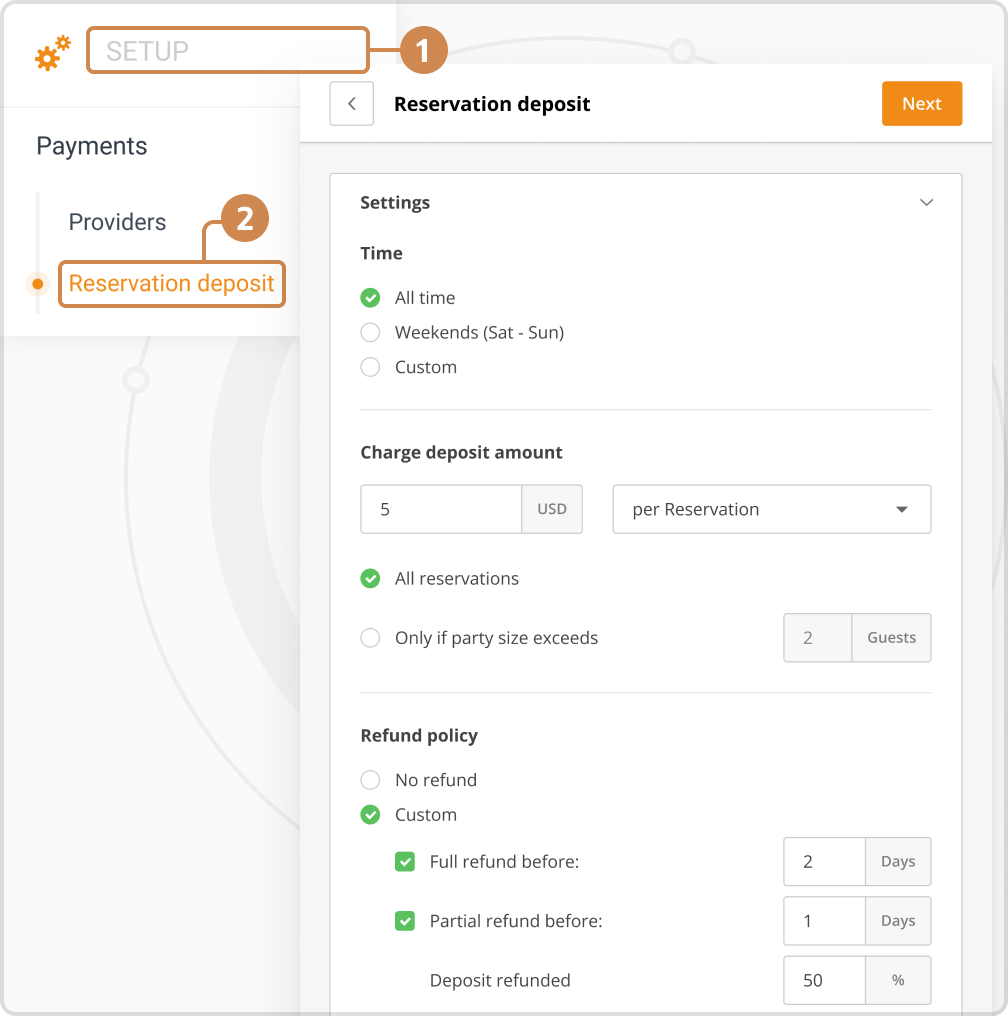
Key features:
- Charge, keep, or refund deposits: the choice is yours.
- Set your own refund policy (no refund, full refund, partial refund). Guests will see this in the checkout section of the reservation widget.
- Personalize the reservation deposit time intervals to choose when you want to charge a deposit.
- Decide on the amount you want to charge and whether it will be per guest or per reservation.
- Customers can opt-in for an SMS notification to remind them of their reservation.
- Manage all reservations, deposits & refunds from the order-taking app.
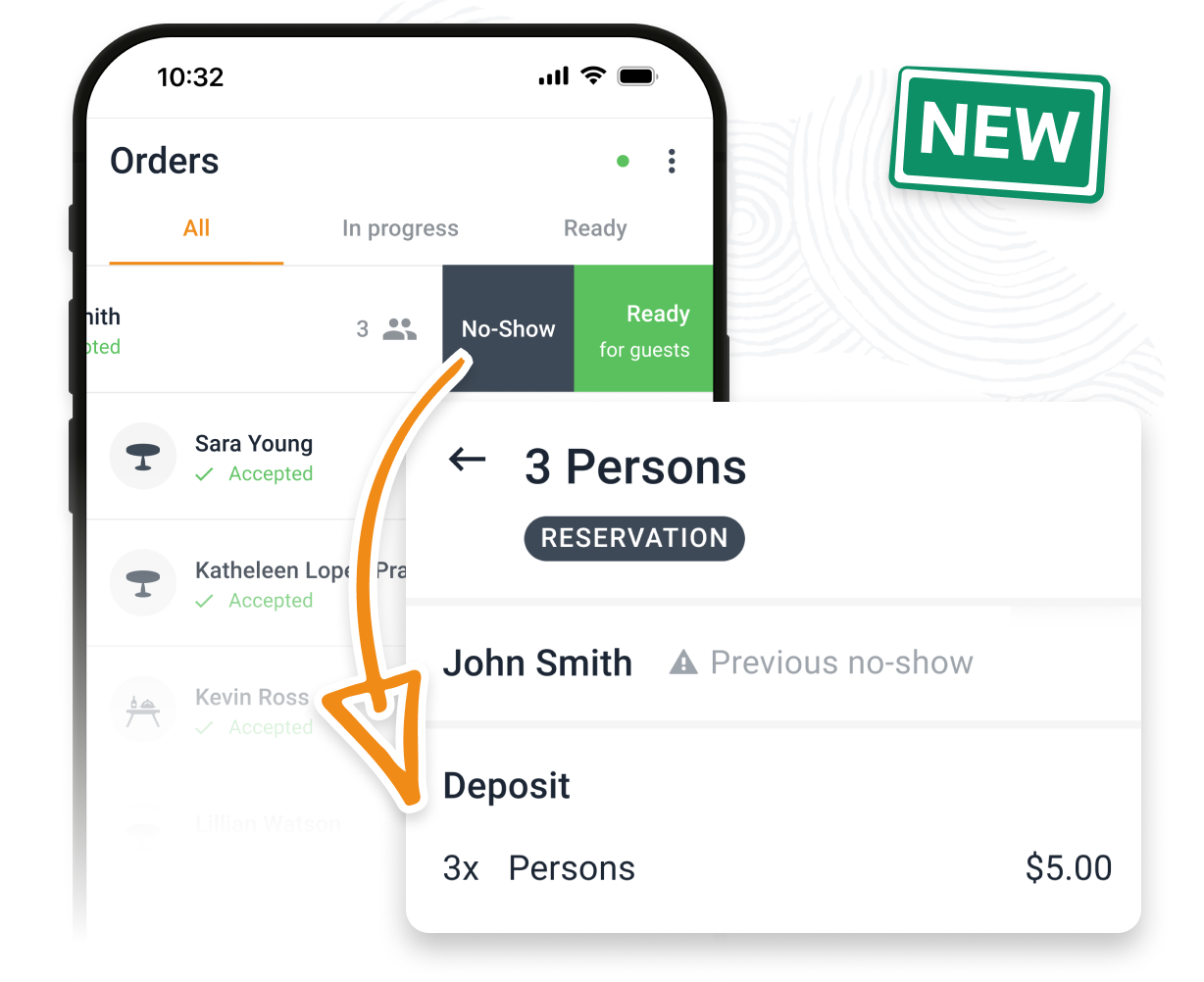
Pricing:
- $0.5 per guest.
- The reservation deposit is a post-billed service. The renewal amount will be calculated only for accepted reservations during the billed month, based on the number of guests for those reservations.
- This service is only available together with the Online Payments service.
Video tutorial:
To learn how to set up reservation deposits step-by-step, check out this video tutorial:

New Order Taking App Report: End-of-Day Report
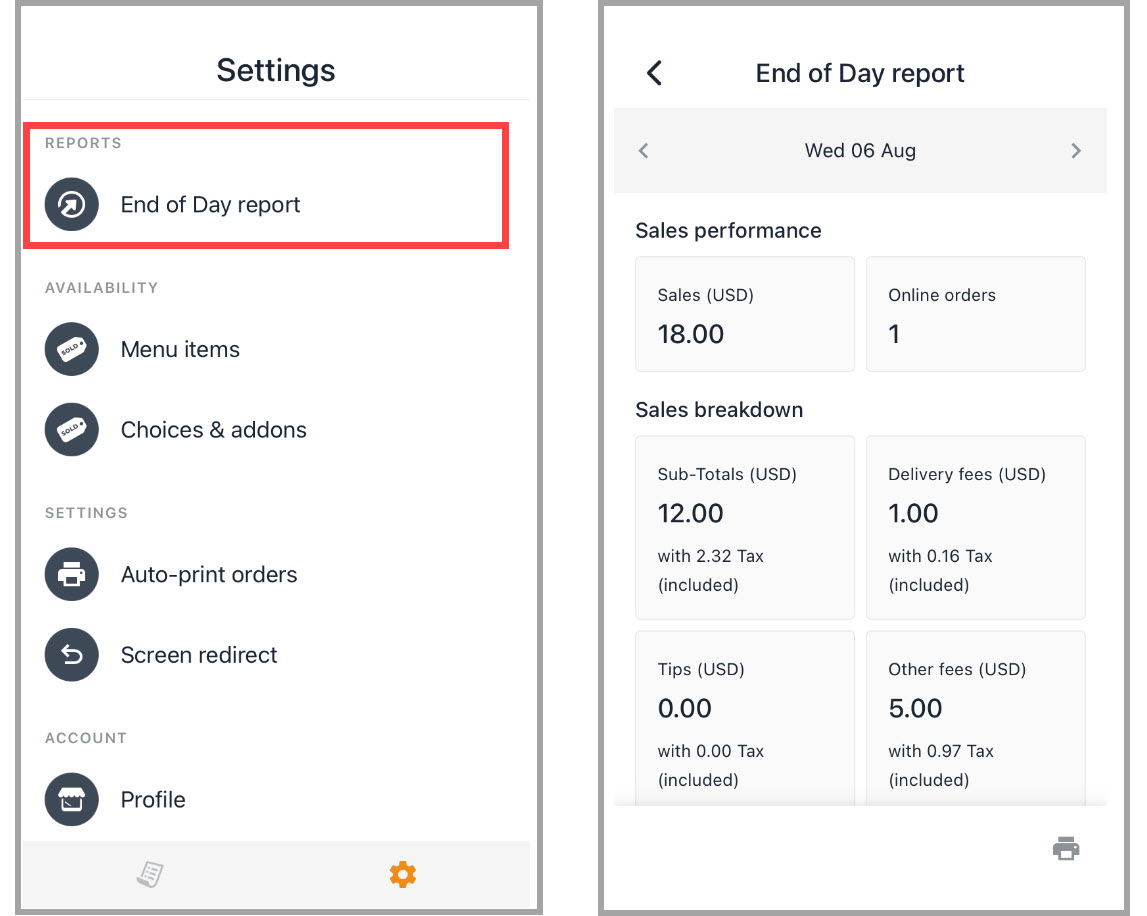
Now, you can generate and print the End-of-Day report directly from the order taking app, in the Settings menu.
The End-of-Day report allows you to get a fast overview of your restaurant’s sales, tips, and different fees for the selected day.
You can generate this report at any time – while open, immediately after closing, or later. You can also look back up to 7 days.
If a printer is connected to the order taking app, you will also be able to print this report.
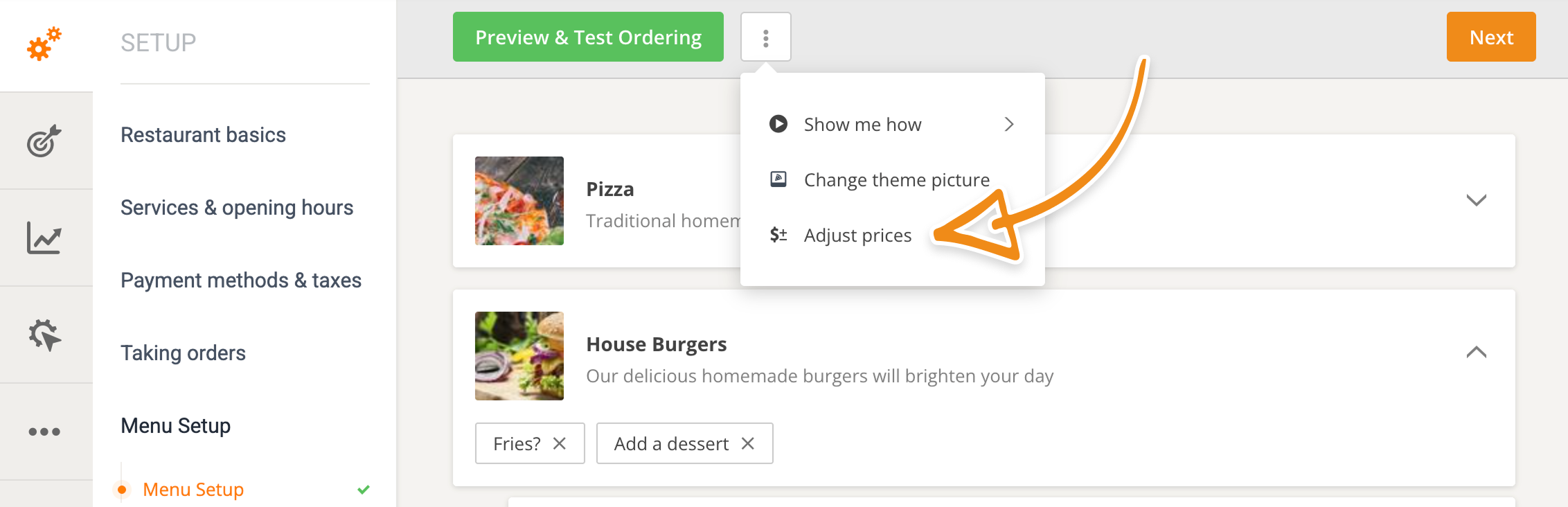
New Menu Editor Feature: Adjust Prices with Fixed Amount
With this new feature, you can now increase or decrease menu item/add-on prices in bulk by a fixed amount. How? By navigating to the Menu Setup section -> More -> Adjust prices.
Article Spotlight: How to Create a Marketing Strategy for a Vegan Restaurant

If you own a vegan restaurant, or you’re thinking of opening one but want to ensure you’re ready first, you will love this detailed guide on how to boost sales at a vegan restaurant by creating a bulletproof marketing strategy.
Read the full guide
See you next month!

Laura-Andreea Voicu