A Developer's Guide to Choosing the Right Cloud Region
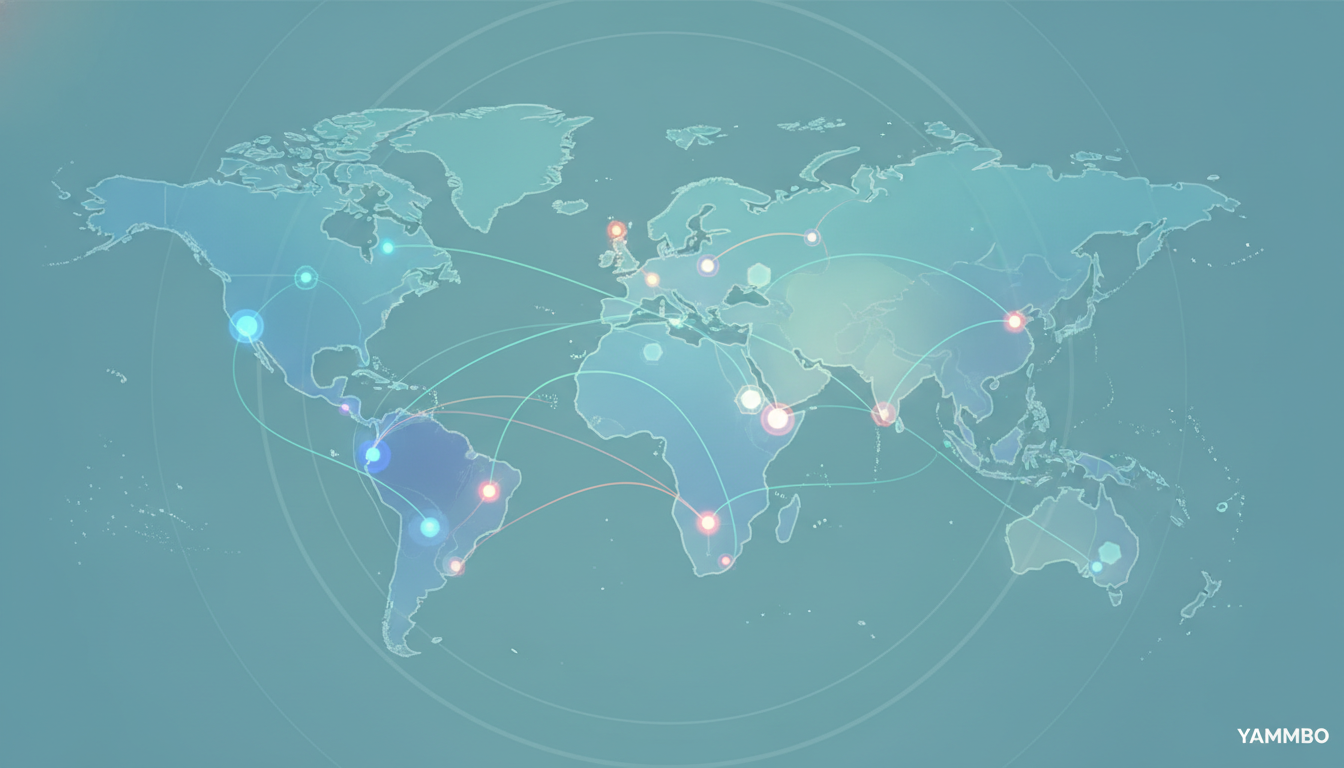
When initiating a new software project, one of the earliest and most impactful architectural decisions you'll face is selecting the appropriate cloud region. This choice, often made passively, profoundly affects your application's performance, reliability, and compliance posture. Reversing a region decision later can be a complex and costly endeavor, making it crucial to get it right from the outset. This tutorial will guide you through the essential considerations for choosing a cloud region, helping you understand the underlying infrastructure, evaluate critical factors, and anticipate potential challenges.
Step 1: Understand Cloud Infrastructure and Terminology
Before diving into selection criteria, it's vital to clarify the terminology used by cloud providers. While terms like 'region' and 'datacenter' are sometimes used interchangeably, they often have distinct meanings that impact your deployment strategy.
Regions vs. Datacenters
A region typically refers to a distinct geographical area, often a metropolitan area, where a cloud provider has a presence. Within a region, there are usually multiple isolated locations known as datacenters or availability zones. These datacenters are physically separate but interconnected by high-speed, low-latency networks. The isolation of datacenters within a region is critical for fault tolerance; if one datacenter experiences an outage, your application can theoretically continue running in another datacenter within the same region.
For example, a cloud provider might have a 'North America East' region, which could contain several datacenters like 'nyc1', 'nyc2', and 'nyc3'. From an API perspective, each datacenter often functions as its own distinct deployment target, meaning resources deployed in 'nyc1' are not automatically connected to 'nyc2' without explicit configuration, such as Virtual Private Cloud (VPC) peering.
Core Services vs. Specialized Offerings
Most cloud providers offer a core set of services (e.g., virtual machines, block storage, basic networking) that are available in all or most of their datacenters. However, specialized services, particularly newer ones or those requiring specific hardware (like GPU-enabled compute instances for AI/ML workloads, or certain managed database engines), may have limited availability. It's common for a cloud provider to expand its infrastructure with new facilities optimized for specific technologies, such as AI-driven datacenters, which may not offer the full suite of older services, or conversely, older datacenters might not support the newest offerings.
Verification Note:
Always consult your chosen cloud provider's official documentation for a precise map of their regions, datacenters, and the specific services available in each. This information is dynamic and can change as providers expand their infrastructure.
Step 2: Assess Proximity and Latency to End Users
The physical distance between your application's servers and your end users significantly impacts performance, primarily through network latency. Lower latency leads to faster response times and a smoother user experience, which is crucial for engagement and satisfaction.
Measuring Latency
To determine the optimal region for user proximity, you should conduct tests from your target user locations to candidate datacenters. Deploy a minimal compute instance (e.g., a small virtual machine) in each potential datacenter and measure the round-trip time (RTT) from various geographical points where your users are concentrated.
- Using
ping: Thepingcommand is a basic network utility that sends ICMP echo request packets to a target host and measures the time it takes for the reply.ping your-server-ip-addressThe output will show the RTT in milliseconds. - Using
curl: For web applications,curlcan provide more relevant metrics by measuring the time to establish a connection and receive a response from a web server.curl -o /dev/null -s -w "Time to connect: %{time_connect}s, Time to first byte: %{time_starttransfer}s, Total time: %{time_total}s\n" http://your-application-url/Focus ontime_totalfor a general idea of application responsiveness.
As a general guideline, aim to host your primary application infrastructure on the same continent as the majority of your user base. For globally distributed audiences, consider strategies like:
- Content Delivery Networks (CDNs): For static assets (images, CSS, JavaScript), a CDN can cache content at edge locations geographically closer to users, drastically reducing load times regardless of your compute region.
- Global Load Balancers: For dynamic applications, a global load balancer can distribute incoming traffic across multiple regions, directing users to the datacenter with the lowest latency or highest availability.
Verification Note:
After initial deployment, continue monitoring latency and performance metrics from various user locations. Tools like Google Analytics or other web performance monitoring services can provide real-world data on user experience.
Step 3: Verify Product and Service Availability
Once you have a shortlist of regions based on proximity, the next crucial step is to confirm that all the specific cloud products and services your application requires are available in those chosen datacenters. Cloud providers frequently update their offerings, and new services often roll out incrementally across regions.
Checking Service Catalogs
Every cloud provider maintains a service catalog or a list of available products, often broken down by region and datacenter. You'll need to meticulously cross-reference your application's technology stack with the provider's regional availability matrix.
Consider a scenario where your application requires:
- Virtual Machines (compute instances)
- Managed Database Service (e.g., PostgreSQL, MySQL)
- Object Storage (for user-uploaded content)
- Managed Kubernetes Service (for container orchestration)
- Specific GPU worker nodes (for machine learning)
- A particular managed messaging queue (e.g., Kafka, RabbitMQ)
Each of these components must be available in your target region. Furthermore, ensure that the specific versions or configurations you need are supported. For instance, a managed database might be available, but perhaps not the exact version or high-availability setup you require in a particular datacenter.
Inter-Service Dependencies
Pay attention to inter-service dependencies. If your application relies on a managed Kubernetes cluster that needs to communicate with a specific managed database, both should ideally reside within the same datacenter or at least the same region to minimize internal network latency and egress costs.
Verification Note:
Before committing to a region, create a small, representative deployment in a test environment within the candidate region. Attempt to provision all necessary services and confirm they function as expected and can communicate with each other. This proactive step can uncover availability issues that might not be immediately obvious from documentation alone.
Step 4: Evaluate Data Residency and Compliance Requirements
Data residency and compliance are non-negotiable considerations, especially for applications handling sensitive user data or operating in regulated industries. These legal and regulatory frameworks dictate where data must be stored and processed.
Understanding Data Residency
Data residency refers to the geographical location where data is stored. Many countries and jurisdictions have laws requiring that certain types of data (e.g., personal identifiable information, financial records, health data) remain within their national borders or within a specific economic bloc.
- GDPR (General Data Protection Regulation): For applications serving users in the European Union, GDPR is a critical regulation. It mandates strict rules for data protection and privacy, including requirements that personal data of EU citizens processed by services within the EU should generally reside within EU datacenters.
- HIPAA (Health Insurance Portability and Accountability Act): In the United States, HIPAA governs the protection of sensitive patient health information. Applications dealing with such data must ensure their cloud infrastructure meets HIPAA compliance standards, which often includes specific requirements for data storage location and security.
- Other Regional Regulations: Beyond GDPR and HIPAA, numerous other regional and industry-specific regulations exist globally (e.g., CCPA in California, LGPD in Brazil, APPI in Japan).
Compliance Certifications
Cloud providers typically offer various compliance certifications (e.g., ISO 27001, SOC 2, PCI DSS). While these certifications apply to the provider's infrastructure, you are still responsible for ensuring your application's design and data handling practices meet your specific compliance obligations within the chosen region.
Verification Note:
Consult with legal counsel or compliance experts to fully understand your application's data residency and compliance obligations. Then, verify that your chosen cloud provider's region and services meet those requirements. This often involves reviewing the provider's compliance documentation and service agreements.
Step 5: Compare Pricing Structures
While often a secondary consideration to performance and compliance, the cost of cloud services can vary significantly between regions. Understanding these differences is crucial for managing your operational budget effectively.
Factors Affecting Regional Pricing
Several factors contribute to regional pricing disparities:
- Compute Costs: The price of virtual machines, container instances, and serverless functions can differ. Regions with higher operational costs (e.g., real estate, electricity, labor) may have higher compute prices.
- Storage Costs: Block storage, object storage, and database storage typically have different pricing tiers per region.
- Network Egress Costs: This is a major area of variation. Data transfer out of a cloud region (egress) is almost always charged, and these rates can vary widely. Transferring data between datacenters within the same region is usually free or very low cost, but inter-region transfers are often more expensive.
- Managed Service Costs: Prices for managed databases, load balancers, Kubernetes, and other specialized services can also vary by region.
Optimizing Costs
To optimize costs, consider:
- Data Transfer Patterns: Understand where your data originates, where it's processed, and where it's consumed. Minimize inter-region data transfers where possible.
- Reserved Instances/Commitment Discounts: Many providers offer discounts for committing to a certain level of usage over a period (e.g., 1-year or 3-year reserved instances). These discounts can be region-specific.
- Tiered Storage: Utilize different storage tiers (hot, cool, archive) based on data access frequency, which may have different regional pricing.
Verification Note:
Use your cloud provider's pricing calculator or create a detailed cost estimate for your planned infrastructure in each candidate region. Pay close attention to data egress costs, as these can quickly become a significant portion of your bill if not managed carefully.
Step 6: Plan for Future Scalability and Migration Challenges
The initial region choice is not just about current needs but also about future growth and the potential for needing to move or replicate your infrastructure. Some cloud resources are inherently region-specific and cannot be easily migrated.
Region-Specific Resources
Many core cloud resources are tied to the region or even datacenter where they are created. These often include:
- Virtual Private Clouds (VPCs): VPCs define your isolated network environment and are typically region-specific. While you can peer VPCs across regions, a live transfer of a VPC and its associated resources is generally not supported.
- Load Balancers: Regional load balancers distribute traffic within a single region. Global load balancers can span regions but require separate regional instances to be configured.
- Managed Kubernetes Clusters: These clusters are provisioned within a specific region and cannot be moved to another. While you can deploy new clusters in a different region and migrate your applications, the cluster itself is not portable.
- Block Storage Volumes: These are typically tied to a specific datacenter within a region and cannot be moved directly between datacenters or regions. Snapshots can be used to create new volumes in other locations, but this is a migration process, not a live transfer.
Disaster Recovery and Multi-Region Strategies
While difficult to reverse, a well-chosen initial region simplifies future strategies for disaster recovery and multi-region deployments. If your application requires high availability or disaster recovery across regions, your initial choice should ideally be in a region that has good network connectivity to other regions you might use for redundancy.
Verification Note:
When making your initial region choice, consider your long-term scalability and disaster recovery plans. Research your cloud provider's capabilities for multi-region deployments and understand the limitations of migrating specific services. Document your chosen region and the rationale behind it for future reference.
Choosing the right cloud region is a foundational decision that impacts every aspect of your application's lifecycle. By carefully considering proximity, availability, legal requirements, and cost, you can lay a solid groundwork for a performant, compliant, and scalable solution. For building and deploying modern web applications, explore the capabilities of Yammbo Web.